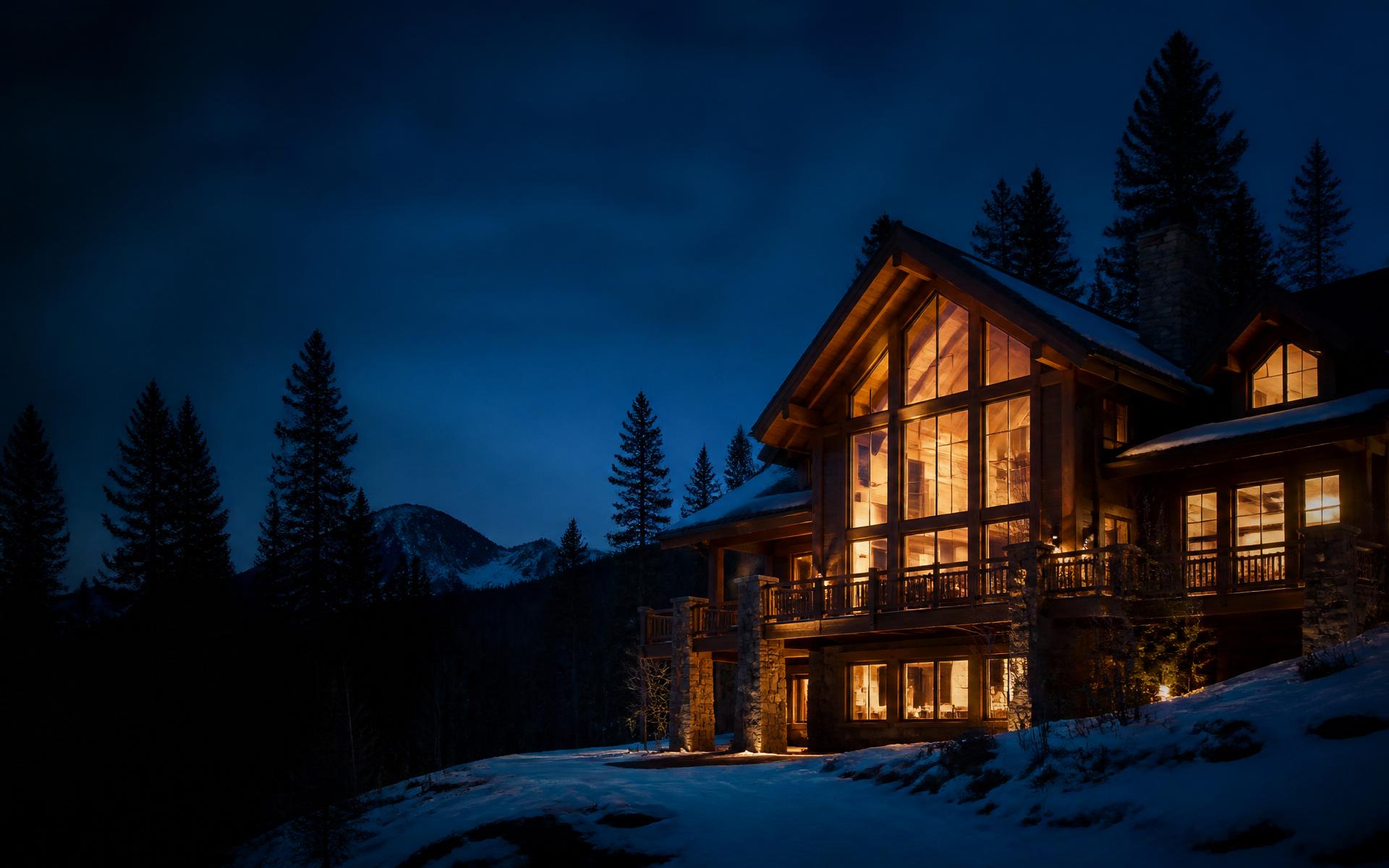
Short term rental photography in Colorado should help a guest imagine a stay, not simply inspect a floor plan. A guest may scan a small thumbnail before reading the title. That first image has to establish the property's strongest real experience: a mountain view, a comfortable gathering space, a deck, or a well-designed interior. The rest of the gallery should confirm what the guest will actually find when they arrive.
A rental gallery answers different questions from a sale listing. How many people can gather comfortably? Where can they make breakfast? Is the hot tub private? What does the view look like from inside? Where are the bedrooms in relation to shared spaces? Photograph the practical details as well as the attractive ones, and let the image order guide someone through a possible stay.
Build a short term rental photography plan around the guest
Start by writing down the reasons someone would choose this particular property. Avoid generic labels such as cozy or luxury unless the images show what those words mean. A cabin near Estes Park may be chosen for a quiet deck and access to mountain activities. A Front Range home may appeal to a family visiting relatives or attending an event. Those audiences need different visual evidence.
Walk the property as a guest would. Notice the path from parking to the entrance, where bags are set down, and which space people will use first. Then make a shot list that covers shared areas, sleeping arrangements, bathrooms, kitchen, outdoor amenities, and the surrounding setting. Include any unusual access detail that someone should know before booking, such as stairs between levels.
Do not hide limitations through angles. A guest who sees a wide-looking room and then arrives to find it cramped will trust the rest of the listing less. Photograph spaces clearly, without stretching walls or removing fixed objects. Accurate expectations are part of hospitality.
The first image has a specific job
Your lead photo should communicate what makes the stay distinct at thumbnail size. A sweeping mountain view can be strong if the view is genuinely available from the property. A warm living room can work if that is where guests will gather. A hot tub image may be compelling, but only if its setting, condition, and accessibility are clear. Do not lead with a landmark that is not on the property.
Test the image on a phone at the size a booking platform displays it. Fine details disappear. Strong composition, readable light, and one clear subject matter more than a collage of features. If the exterior is the lead, make sure the house is recognizable and not lost in the landscape. If the interior leads, include an exterior soon after so guests can understand the arrival experience.
Change the lead photo when the season changes significantly. A snow-covered deck may set the right expectation in winter and the wrong one in midsummer. The property does not need a new gallery for every shift in weather, but the first frames should match what a guest is likely to see.
Show amenities honestly and completely
Amenities often drive booking decisions, so photograph them in context. A hot tub image should show where it sits, whether it is screened, and what surrounds it. A deck photograph should show enough of the railing, seating, and view to explain the space. A fireplace image should show the room it warms, not only a close-up of flames.
The kitchen deserves more than a single wide shot if guests will cook. Show the working area and dining relationship. Avoid arranging countertops so heavily that the actual surface disappears. Bedrooms should make bed size and circulation easy to understand. Bathrooms should be clean, well lit, and represented individually when layouts differ.
If an amenity is seasonal, shared, or subject to restrictions, describe that clearly in listing text. A photograph cannot communicate a closing date, quiet hours, or access instructions on its own. Make sure the visible setup matches what is provided to guests. Remove props that are not included unless their illustrative role is obvious.
Photograph practical details, not every object
A guest may appreciate seeing parking, a dedicated workspace, laundry, or a safe entrance in snow. Not every appliance needs its own image. Select details that resolve a likely uncertainty. A close-up of a coffee setup can help if it is a meaningful part of the stay; several nearly identical countertop frames can bury the bedrooms and bathrooms.
Arrange the gallery as a guided visit. Lead with the strongest real experience, then show shared spaces, sleeping areas, baths, outdoors, and practical information. Use captions where the platform supports them to clarify what a space is. Do not use a caption to promise a view or amenity that the photograph does not show.
Mountain light and Colorado seasons
Mountain properties change with the season. Snow can frame a cabin beautifully while concealing the path to the entrance. Summer light can reveal the deck, trees, and outdoor seating, but afternoon storms may narrow the shoot window. Autumn color can add warmth without replacing the need for clear indoor coverage. Plan to show the property in conditions guests may actually book.
Consider a core gallery of accurate year-round interiors and exterior approach images, supported by clearly seasonal images where helpful. If a winter photo shows a snow-covered road, do not let guests assume that is the only access condition. If a summer view shows outdoor furniture, confirm it remains available for the season advertised. Label seasonal amenities clearly in the listing text.
High contrast is common when bright snow sits outside a darker interior. Careful exposure can show both without making the room look unnaturally flat. Ask the photographer to keep the window view recognizable when it is a genuine feature. A perfectly exposed distant ridge is less useful if the room itself looks dim or artificial.
Snow, lawns and changing exteriors
Before a winter shoot, clear the entry path and any outdoor amenity that will be photographed. Move vehicles that block the house. Make sure exterior lights work if dusk coverage is planned. In shoulder seasons, dead lawns and bare trees may be normal. Honest framing and a thoughtful schedule are better than replacing the landscape digitally.
If an exterior changes materially after the shoot, update the gallery. A remodeled deck, removed hot tub, or altered sleeping setup needs current photographs. A guest should not need to read fine print to discover that a photographed feature no longer exists. Use the home photo preparation guide as a starting checklist, then add the guest-specific amenities.
Estes Park and mountain market considerations
Estes Park sits near Rocky Mountain National Park and draws guests who care about scenery, access, and the feel of a mountain stay. The property itself still needs to be the subject. A park image or elk photograph cannot substitute for a clear view of bedrooms, kitchen, parking, and entry. If wildlife appears on site, avoid implying that guests will see it at every visit. Elk are wild animals, not a promised amenity.
Show the real relationship between a rental and its surroundings. If a mountain is visible from the deck but not the living room, make that distinction clear. A wide aerial may suggest proximity to a trailhead that the property does not actually have. Describe access and nearby features accurately, with current information from reliable sources where details matter.
Summit STR is the short term rental branch of Summit Visual Studios. Its media is planned around how guests assess a stay. The Summit STR page explains that focus, and the Estes Park photography page covers local considerations. The same guest-first approach can also apply to Front Range properties in Loveland and surrounding communities.
Drone coverage near national park land
An aerial can show a rental's position on a lot, the approach road, and the relationship between outdoor spaces and the house. It must be planned legally and safely. Commercial drone work generally requires an FAA Part 107 certificated pilot. Airspace, weather, property permissions, and site conditions determine whether a particular flight is possible.
Drones are generally prohibited from launching, landing, or operating in national parks, including Rocky Mountain National Park, without specific authorization. A rental near the park does not grant permission to fly inside it. A pilot should verify boundaries and current rules rather than assume a scenic location is open for aerial capture. Mountain winds and elevation add operational challenges even outside protected land.
When aerial coverage is not appropriate, ground-level photographs can still show the actual setting. A deck view, exterior approach, and wide image of the house in its landscape often tell a clear story. Read the Colorado drone guide for a deeper explanation of Part 107, airspace, and weather.
Keep nature and the property distinct
A gallery can include scenic context, but it must not suggest the property owns or directly accesses land that it does not. If an image is captured away from the rental, identify it as area context where the platform permits. Keep the lead images focused on the stay itself. Guests should be able to distinguish what they can use from what they might visit nearby.
Do not use wildlife photos to encourage unsafe behavior. A guest may encounter animals in mountain communities, but photography should not imply that interacting with them is part of the experience. Accurate descriptions and official visitor guidance are more useful than staged proximity.
Video and vertical content for rentals
Video can show how a guest moves from the entry to the main living area and out to a deck. It can reveal flow that still images leave unclear. A short vertical cut can introduce one compelling part of the stay on social platforms. Neither should replace a complete gallery that documents beds, baths, kitchen, and exterior access.
Plan movement around actual guest activities. A gentle route from coffee preparation to morning view may make sense for a mountain cabin. A family rental may benefit from showing how the kitchen, dining area, and yard connect. Keep camera motion slow enough to understand the space. An indoor FPV flythrough can be considered where the property and safety conditions support it, but novelty is not a reason to lose clarity.
Avoid featuring people who are not part of the rental experience unless they have consented and the imagery serves a clear purpose. A property-led film often remains useful longer than a heavily scripted campaign. If you create seasonal social cuts, keep the core listing gallery current as well. Visibility should bring guests to an accurate description, not replace one.
Consistency across booking platforms
Different platforms crop and reorder images in different ways. Check the lead photo and first few gallery frames on each platform where the rental appears. A wide landscape image may lose its subject when cropped into a square or narrow tile. Captions may not travel with an exported image, so important facts should also be written in the listing details.
Keep a simple inventory of images and the feature each represents. When an amenity changes, you can identify every outdated image across platforms. Label files clearly so that a winter exterior is not accidentally used as the main summer photo. If a host or manager updates the property, make media review part of the change process.
Verify that marketing language matches the visuals. If a listing says a deck has a view, the gallery should show the view from that deck. If a room is described as a workspace, the photo should show where someone would actually work. Honest consistency makes the booking decision easier and reduces surprises on arrival.
A guest-first shoot checklist
Before the shoot, clean and stage the rental exactly as guests receive it. Make beds with the usual linens, set out included amenities, test lamps, and clear maintenance supplies. Check that hot tubs, decks, fireplaces, and outdoor seating are ready if they will be shown. Remove personal possessions and access codes from view. Walk from parking to the door and note any step or turn the gallery should explain.
After delivery, browse the images as someone who has never visited. Can you identify the lead feature, sleeping arrangements, bathrooms, kitchen, entry, and outdoor amenities? Can you tell which images represent winter and which represent summer? Does the space look like the place guests will find? If something essential is unclear, a simple additional image may do more than a complicated edit.
Short term rental photography in Colorado succeeds when it makes the experience understandable without inventing it. For coverage across Front Range and mountain communities, view service areas. If you want to discuss the questions a guest needs your gallery to answer, talk to us.